
Industries
Remote Monitoring for Utilities, Water, Oil & Gas Sites
Reads the transmitters already fitted to your plant, acts on what they say without waiting for a server, and reports into the SCADA master you already operate.
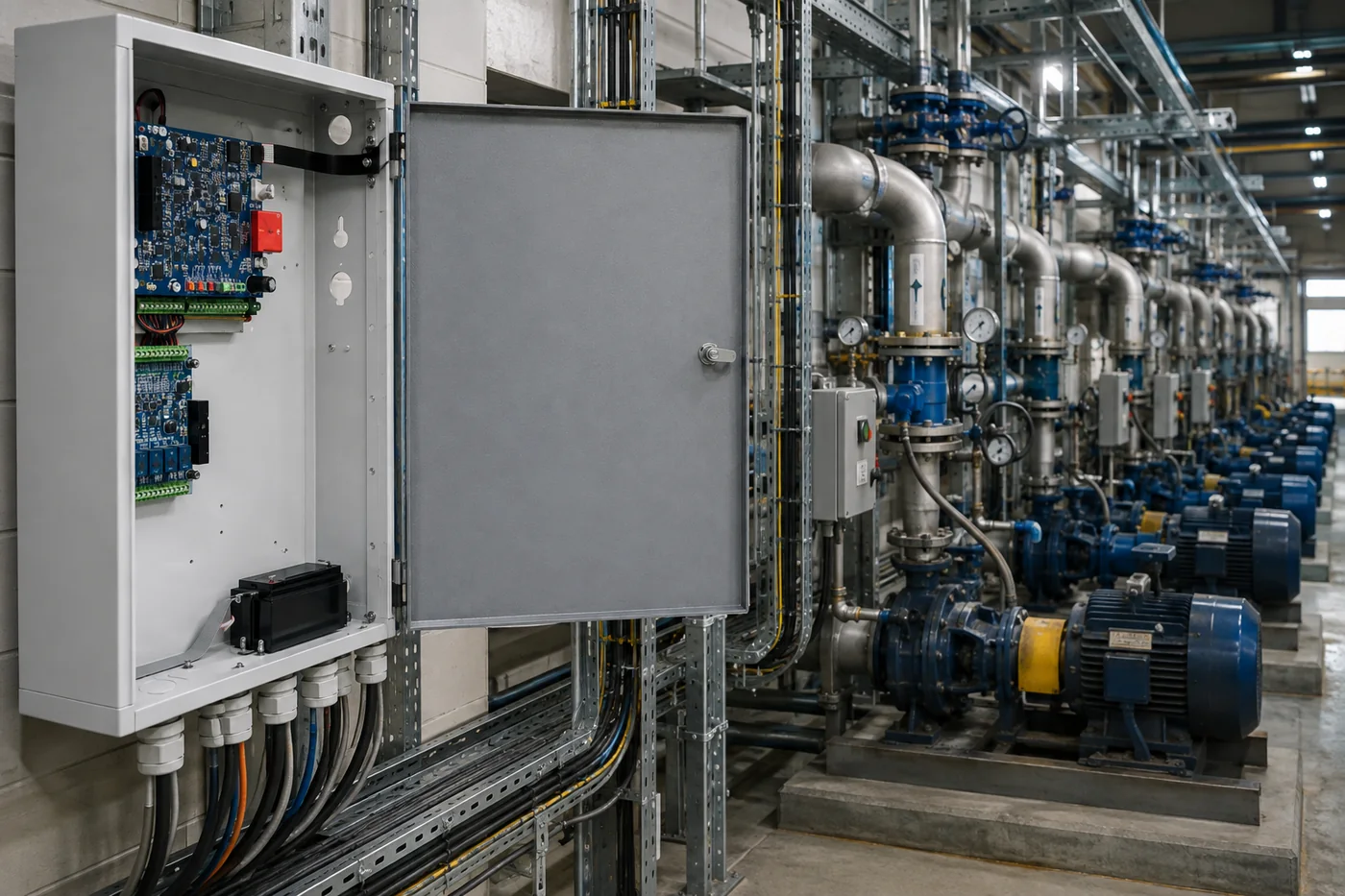
The problem
Utility and pipeline infrastructure is defined by its spread. Hundreds of sites, each with its own instrumentation, its own reporting obligation and its own drive time, and a field team that can physically reach a fraction of them in any given month. The usual answer is a second monitoring platform bolted alongside the SCADA system, which means two sets of points to configure, two sets of alarms to watch, and two versions of what happened.
How Sentor solves it
Sentor connects to the instrumentation that is already there. Its analogue inputs take the 4–20 mA and voltage transmitters fitted to most process equipment, so existing sensing is usually brought in rather than replaced. The controller then decides what to do about a reading on site, using its own scenario logic, so a site that has lost contact still responds. Where the readings have to reach an existing SCADA master, they are presented to it over DNP3 rather than asking your operators to watch a second screen.
What Sentor monitors
Monitored and controlled at a utility, pipeline or plant site
Analogue inputs accept the 4–20 mA and voltage transmitters already fitted to most process equipment, so existing instrumentation can usually be brought in without replacement.
- Process values from 4–20 mA and 0–20 mA transmitters
- Voltage-output instruments at 0–1 V, 0–10 V and 0–30 V
- Linear and non-linear sensor curves, and direct temperature probes
- Pump, valve and plant status, with remote start and stop
- Generator status, cut-in and fuel level
- Rectifier, battery bank and mains supply condition
- Enclosure temperature, humidity, flood and smoke
- Site access, intrusion and enclosure tamper, on supervised loops
- Up to 80 inputs per controller with ST317 expansion cards
- Eight relay outputs per controller for plant operation
- Scenario logic that keeps running while the site is offline
- Reporting into an existing SCADA master over DNP3, or an NMS over SNMP
What it connects to
The instrumentation is usually already on site
Most of what a utility or pipeline site needs to report is already being measured by something. The question is whether it can be read without replacing it. These are the input types a Sentor controller accepts directly.
| Input | Range or capacity | Detail |
|---|---|---|
| Current loop | 0–20 mA, and protected loop | Takes the 4–20 mA transmitters already fitted to most process equipment |
| Voltage | 0–1 V, 0–10 V and 0–30 V | Three ranges, so a signal is matched rather than scaled down and lost |
| Sensor curve | Linear and non-linear inputs | Non-linear devices are calibrated rather than assumed to be straight |
| Temperature | Dedicated temperature sensor input | Direct probe connection without an external transmitter |
| Resolution and rate | 9-bit conversion, up to 20 samples per second | Accuracy better than 0.5% |
| Input capacity | Up to 80 inputs per controller | Reached by adding ST317 expansion I/O cards to an installed controller |
| Outputs | 8 SPCO relay contacts per controller | Maximum 1 A per output at 48 VDC |
| Site conditions | 0 to 50 °C, 5–95% RH operating | Optional 7.2 Ah 12 V standby battery with an inbuilt charger |
Figures above are from the Sentor specification sheet. Confirm the specific instrument against your site with us before it is written into a specification.
Into your SCADA
A DNP3 slave your operators configure like any other
A second monitoring platform alongside an existing SCADA system is how utilities end up with two alarm lists that disagree. The useful outcome is not another screen; it is the new sites appearing on the screen your operators already watch.
Sentor’s DNP3 interface runs alongside the Sentor workstation and presents the site’s points to your master as a DNP3 Level 1 slave, answering Class 0, 1, 2 and 3 scans with time and date synchronisation. Station address, point index, object and variation types and unsolicited reporting are all configurable. It was built for a state transmission operator reporting into an ABB SCADA network.
Said plainly
The controller does not speak DNP3 natively. DNP3 is a separate interface application. We would rather you knew that from a web page than discovered it at commissioning — and it is why we confirm your points list against your master before anything is specified.
On site
The decision is made at the site, not at the head end
Distributed infrastructure has one characteristic that shapes everything else: the sites you most need to act on are the ones hardest to reach, and the link to them is the thing most likely to be down at the time. A system that has to ask a central server what to do is, at that moment, a system that does nothing.
A Sentor controller holds its own scenario logic and acts on it locally — starting a pump, changing duty, isolating equipment, raising an alarm at the site — and writes each event to its own history log with a date and time. Reporting upstream is how you find out; it is not how the decision gets made.
Common questions
Utilities, water, oil and gas, answered
Will it work with the transmitters we already have?
Usually, and that is the point of the input range. The analogue inputs take 0–20 mA current loops — which covers the 4–20 mA transmitters fitted to most process equipment — along with 0–1 V, 0–10 V and 0–30 V voltage instruments, linear and non-linear sensor curves, and a direct temperature probe input. Conversion is 9-bit at up to 20 samples per second, with accuracy better than 0.5%. Send us the instrument list from a representative site and we will tell you what connects directly and what does not, before you commit to anything.
How does it report into our SCADA system?
Precisely, and it is worth being exact about the mechanism. The controller does not speak DNP3 natively. DNP3 is provided by an interface application running alongside the Sentor workstation, which presents the site’s alarm and status points to your master as a DNP3 Level 1 slave, answering Class 0, 1, 2 and 3 scans along with time and date synchronisation. Station address, point and index values, object and variation types and unsolicited reporting are configurable in the way your SCADA staff would expect of any slave device. It was built this way for a state electricity transmission operator reporting into an ABB SCADA network. Give us your points list and the master you run and we will confirm it against your system before it goes into a specification.
How many points can one site have?
Up to 80 inputs per controller, reached by adding ST317 expansion I/O cards to a controller that is already installed rather than replacing it, plus eight SPCO relay outputs rated at 1 A at 48 VDC for operating plant. Sites tend to grow, and the expansion path is the reason a controller specified for today’s point count does not become the constraint in three years.
What happens at a site that has lost communications?
It keeps making decisions. The scenario logic that starts a pump, switches a duty machine or raises an alarm runs on the controller at the site, not on a server elsewhere, so a communications failure costs you visibility rather than control. Events continue to be written to the on-site history log with a date and time against each one, and the record of the outage is intact when the link returns — which is usually the period you most need to account for.
Can it operate plant, or only watch it?
It operates it. Each controller carries eight single-pole double-throw relay outputs, switched by an operator remotely or automatically by the scenario logic — starting a pump, changing duty between machines, opening or closing a valve or gate, or isolating equipment. Because the logic is local, an automatic action does not depend on the link to the site being up at the moment it is needed.
Recommended configuration
- ST3000 or i7000 controller (rack, wall or security housing)
- ST317 expansion cards, to 80 inputs per controller
- DNP3 software interface for SCADA reporting
- ST30G cellular, ST303 radio or ST330 landline
- SenTrend for scheduled multi-site polling
Key benefits
- Reads instrumentation already on site
- Reports into the SCADA master you already run
- Acts locally when the link is down
- Date-and-time-stamped log held at the site
Related